 Colorea
Frequently asked questions
What people ask us most about Colorea. If your question isn't here, write to us.
Is Colorea free?
Yes. The Android app is free and funded by ads: a banner in Explore and My art and, sometimes, an ad when you finish a picture. None of them interrupts you while you color. If you'd rather not see them, watch a short video for a day without ads. There are no ads in the browser.
Do I need an account?
No. Colorea works without an account and without asking for any details: open the app and start coloring.
Where is my artwork saved?
On your device, or in your browser's storage if you color at colorea.app/app. It doesn't sync between devices, and it's lost if you uninstall the app or clear the browser's data. To keep a copy, export it as an image or a PDF.
Does it work offline?
In the app, yes. Some pictures come included, and the rest download the first time you open them. After that, they work offline.
Can I print the pictures?
Yes. From each picture's menu you can export a PDF of what you've colored, or a blank PDF with the lines, the numbers and the color key, to color on paper.
How many pictures are there?
More than 300, in seven categories: animals, flowers, landscapes, places, still life, fantasy and mandalas. New pictures arrive without updating the app.
What levels are there?
Three: Medium, from about 80 to 700 areas; Detailed, from about 300 to 1,600; and Expert, from about 1,000 to more than 4,700. You pick your level when you start and can change it in Settings.
What is the find button?
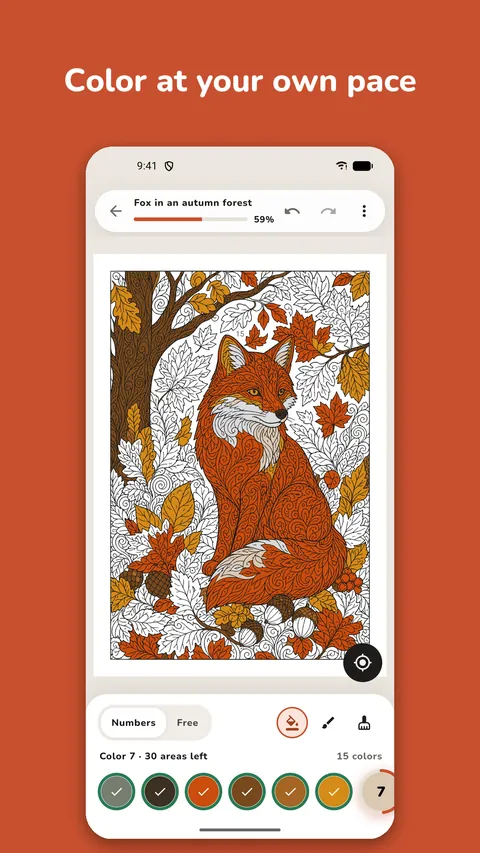
The ◎ button takes you to the next missing area of the chosen color. On your phone you get 20 finds a day; if you run out, a short video adds 20 more, only if you want it. In the browser there's no limit, and none during a day without ads either.
Where do the pictures come from?
Most are generated with artificial intelligence, and people review them before they're published. Each picture's page says so.
Which devices does it work on?
On Android, from Google Play, and in the browser on any computer, tablet or phone, at colorea.app/app. The iPhone and iPad version is coming soon.
Which languages is it in?
English and Spanish. It follows your device's language, and you can change it in Settings.
How can I contact you?
Write to us at support@diodelogic.com.
Keep reading


Try coloring
Free, no account needed.